
Use a Cloned Notion Template
How to duplicate a Notion template first, authorize it, and select the cloned database in ChatGPT to Notion
The recommended setup is to use automatic Notion template duplication during authorization. Use this manual setup if automatic duplication fails, or if you already have your own cloned Notion template.
Before saving ChatGPT conversations to Notion, you can manually duplicate one of our ready-made Notion templates into your own workspace. Either template works:
After the template is duplicated, authorize the cloned page in the extension and choose the database from the extension’s database list.
Duplicate the Template
- Open either Notion template link above.
- Click the duplicate button in the top-right corner of the Notion page.
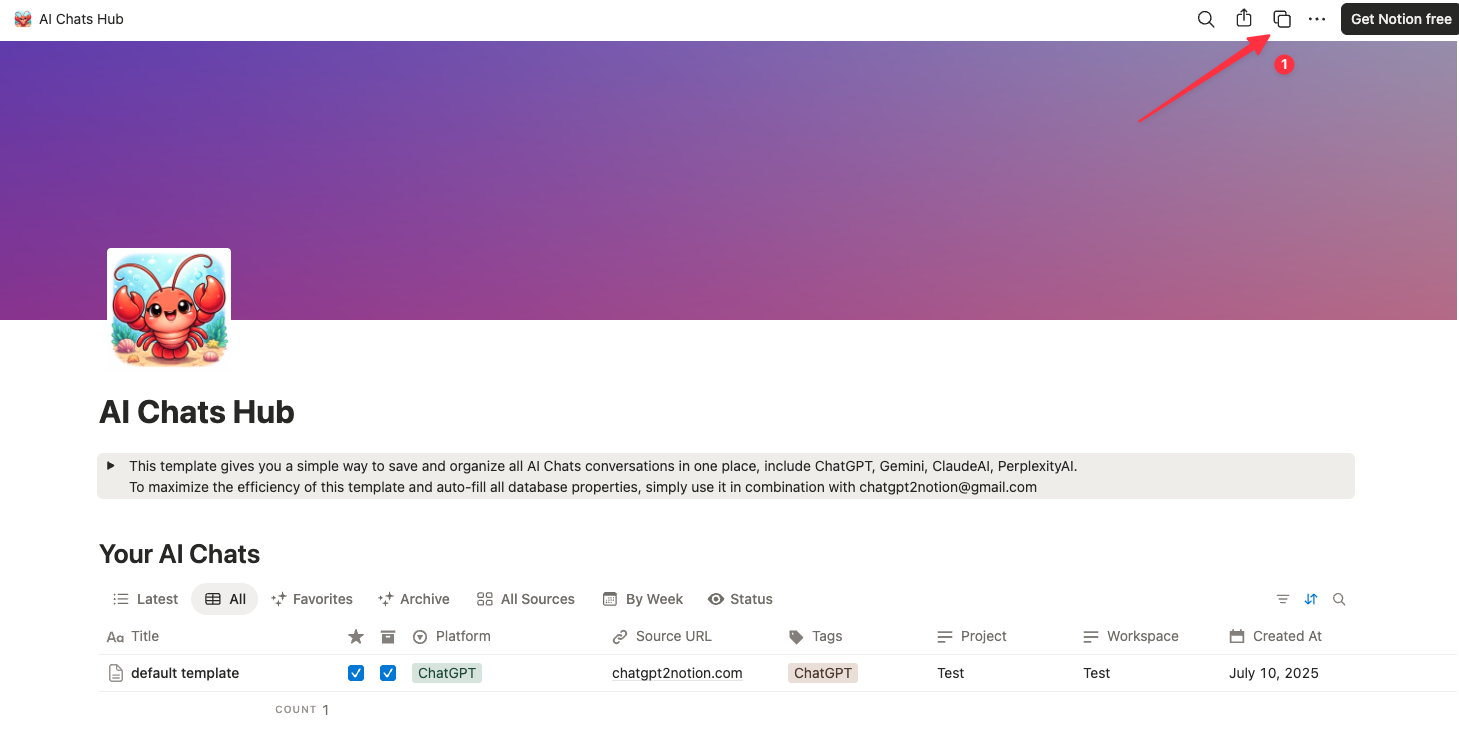
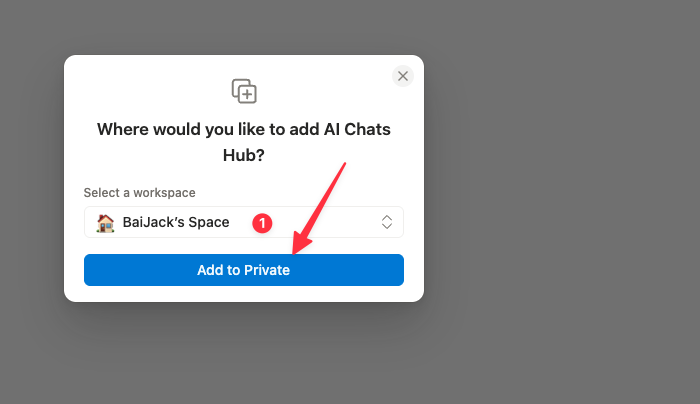
- Select the Notion workspace where you want to save the template.
- Click Add to Private to duplicate it into your workspace.
Authorize the Cloned Template
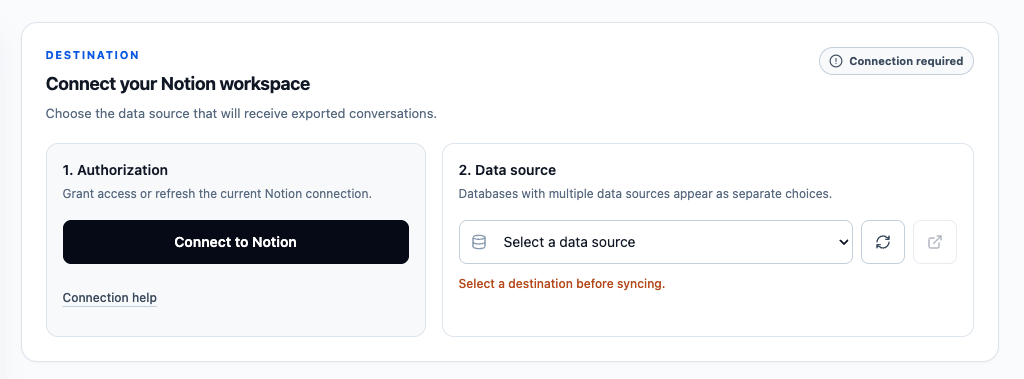
- Open the ChatGPT to Notion extension.
- In Connect to Notion, click the authorization button. If the extension already says Connected to Notion, click the connected button again to update the Notion pages the extension can access.
- On the Notion authorization screen, choose Private.
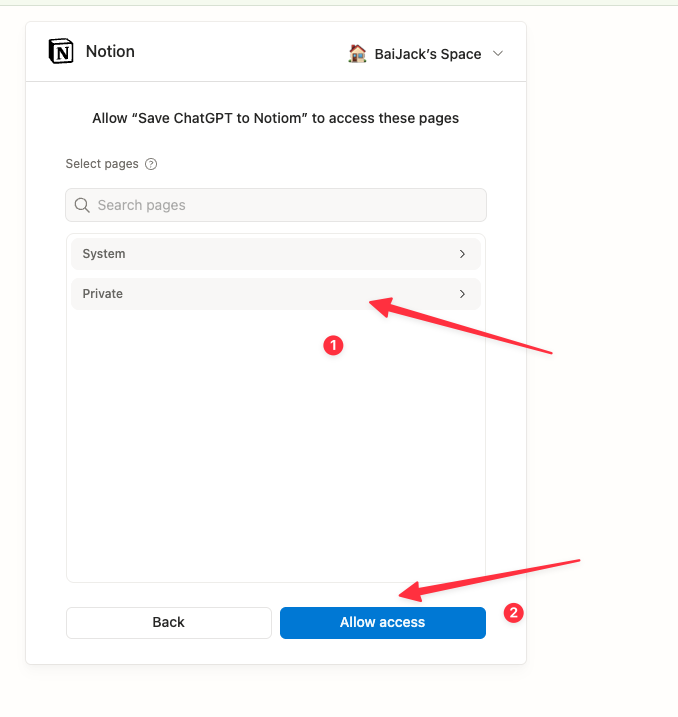
- Select the template page you just duplicated, such as AI Chats Hub or ChatGPT Chats Manager.
- Click Allow access.
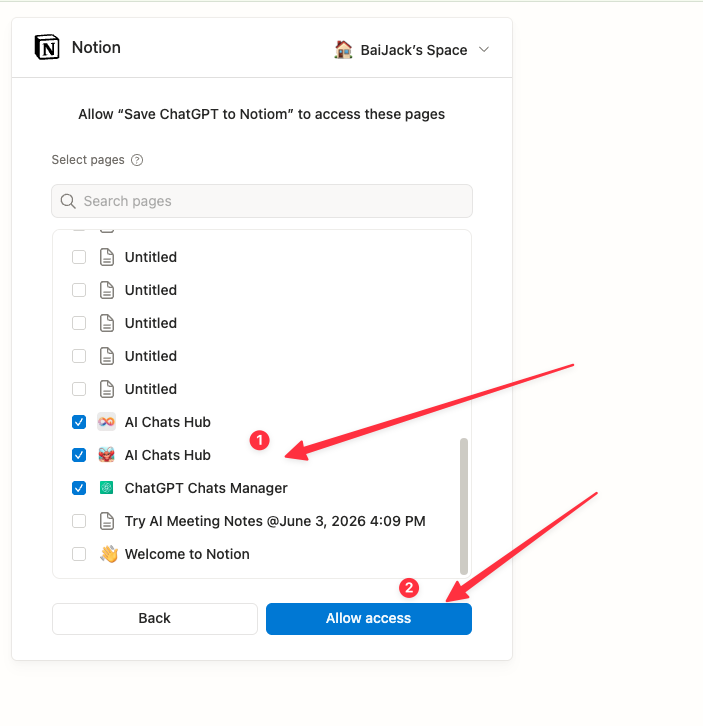
Select the Cloned Database in the Extension
- Return to the ChatGPT to Notion extension.
- In Select Database, click the refresh button next to the destination list. This reloads the writable Notion data sources you just authorized.
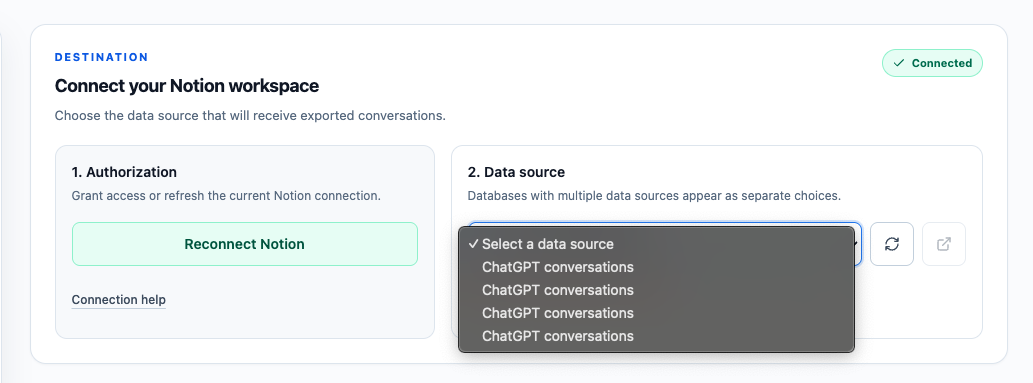
- Open the database dropdown.
- Select the database from the cloned template. If you duplicated multiple copies, choose the one you want to use for syncing and saving ChatGPT conversations.
After the destination is selected, the extension will save new exports to that cloned Notion data source.
If the Database Does Not Appear
- Make sure the template was duplicated into the same Notion workspace you authorized.
- Reopen Notion authorization and confirm the cloned template page is selected.
- Click the refresh button in the extension’s database list after authorizing access.
- If you cloned the template after connecting Notion, update the authorization so the extension can access the new page.
- If you are setting up ChatGPT to Notion for the first time, try the automatic template duplication flow.
Ready to try Chatgpt To Notion?
Open the product page for feature details, screenshots, pricing, and the Chrome Web Store install link.